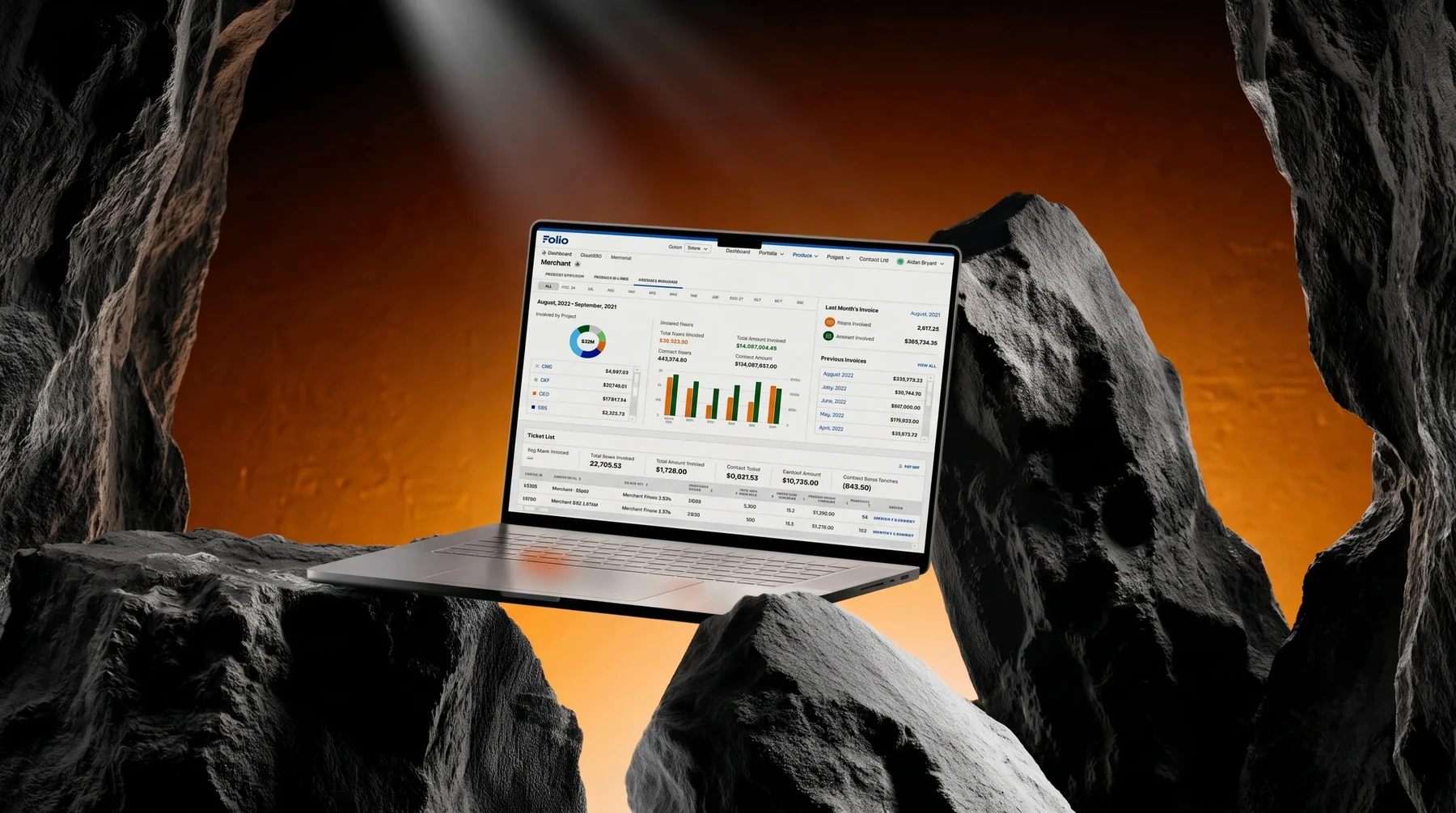
A laptop showing the Folio dashboard, set between canyon rocks with warm backlight

Aperia Folio (Portfolio)

Internal tool · Company A · demo data from Company F

Role
Main UI designer for Folio. The request came down from Jira, but everything else — research, drafting, presenting for approval — was on me.
Worked with
A full scrum team: two designers, two BAs, six developers, one PO.
Users
Only for managers and above — project managers, product managers, other management roles such as client account managers, and more senior positions who view reports.
Problem
Company A managed many clients at once (the demo uses Company F as an example), but contracts, finances, and project progress were scattered everywhere, with no direct way to measure any of it.

The numbers shown in the screenshots are demo data, not real client figures.

Problem

Before Folio, contracts, money, and project progress lived scattered everywhere, with no number anywhere that showed how the business was actually doing. Problems only came to light once word got around that some project was in trouble — only then did the company decide it needed Folio.

The real cost: when a manager asked, nobody could answer right away. And when bad news got out, it was the people running that project who took the blame.

1

No overview of contracts and finances

Problem

Back then, knowing how many contracts a client had, what stage each one was in, or how much was billed this month meant digging through an Excel file on OneDrive, or asking whoever was holding that contract directly. Sometimes the answer came too late, and the invoice amount came out wrong.

Solution

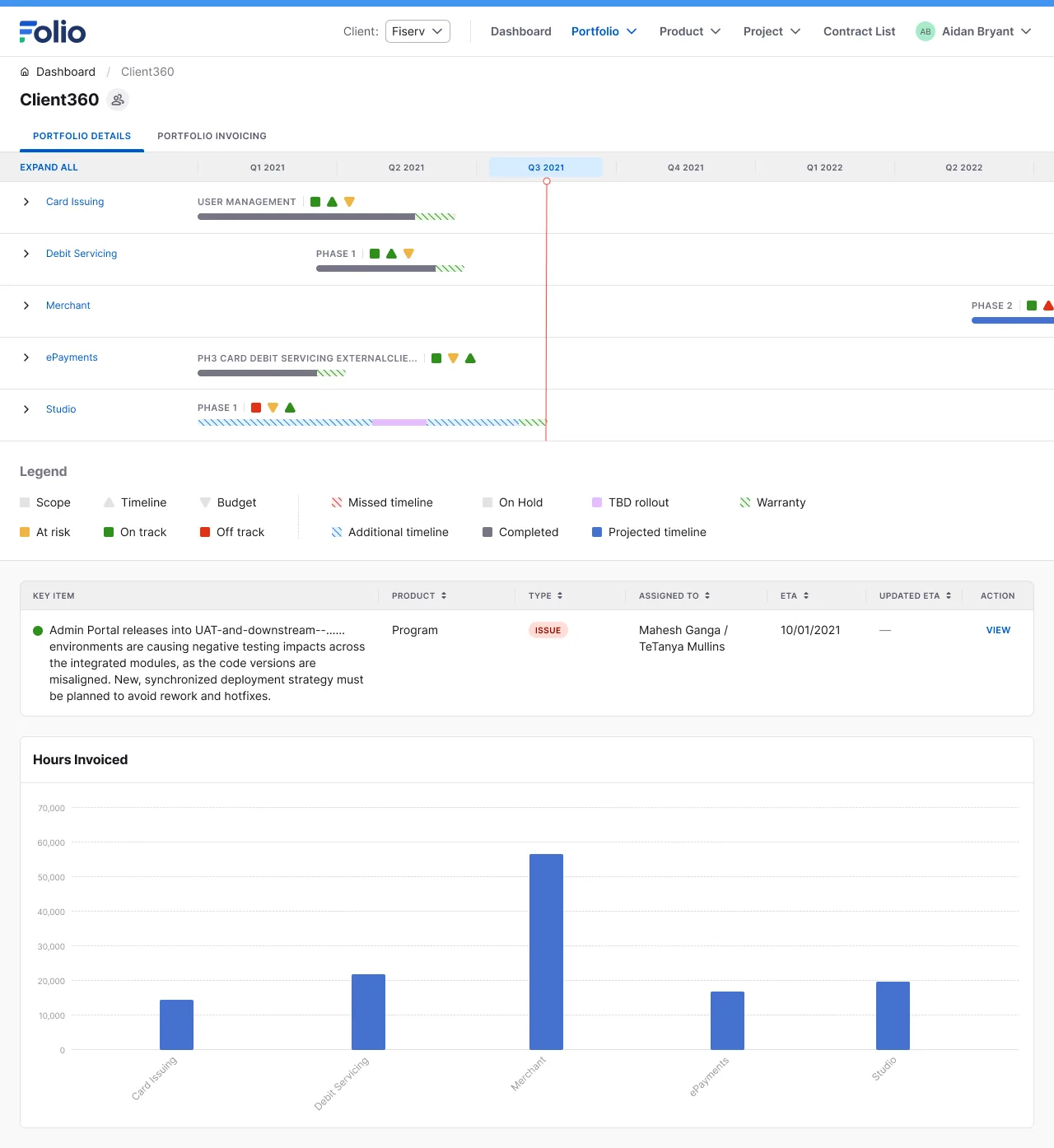
I brought all of that into one Dashboard: how many contracts, what stage each is in, SOW or Change Request, plus the hours and amount billed so far. Click into a contract and see everything — the client contact, how many tickets are still open, any notes. At the portfolio level, I added a quarterly timeline and a table of past invoices, so nobody has to dig through old emails to see what was billed last month. The screens below are the result:
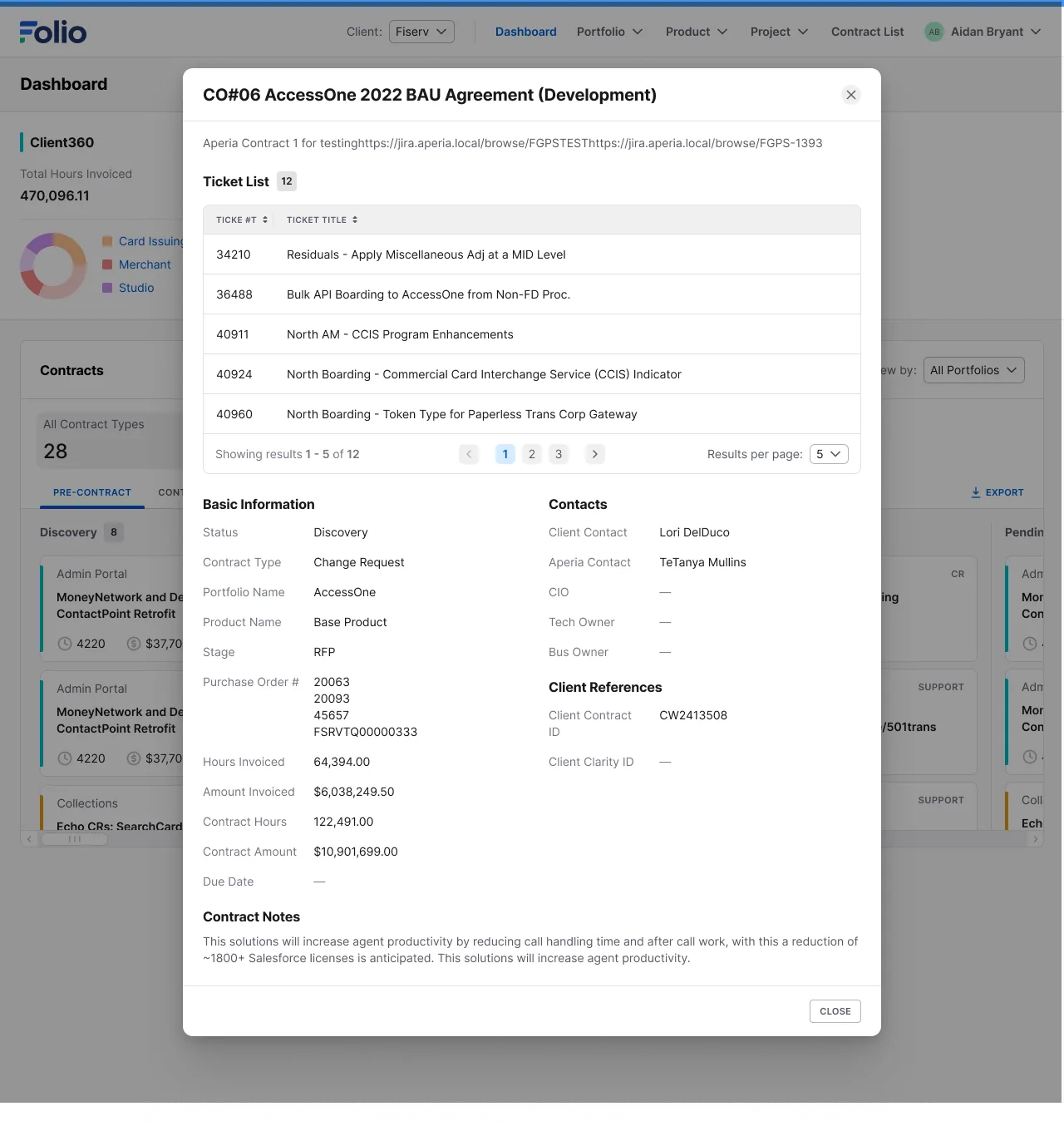
A contract detail dialog with a ticket list, basic information, and contract notes
One contract, in detail
A timeline of products in the portfolio, a table of key items to watch, and a chart of hours invoiced by product
Portfolio timeline, key items, and invoiced hours
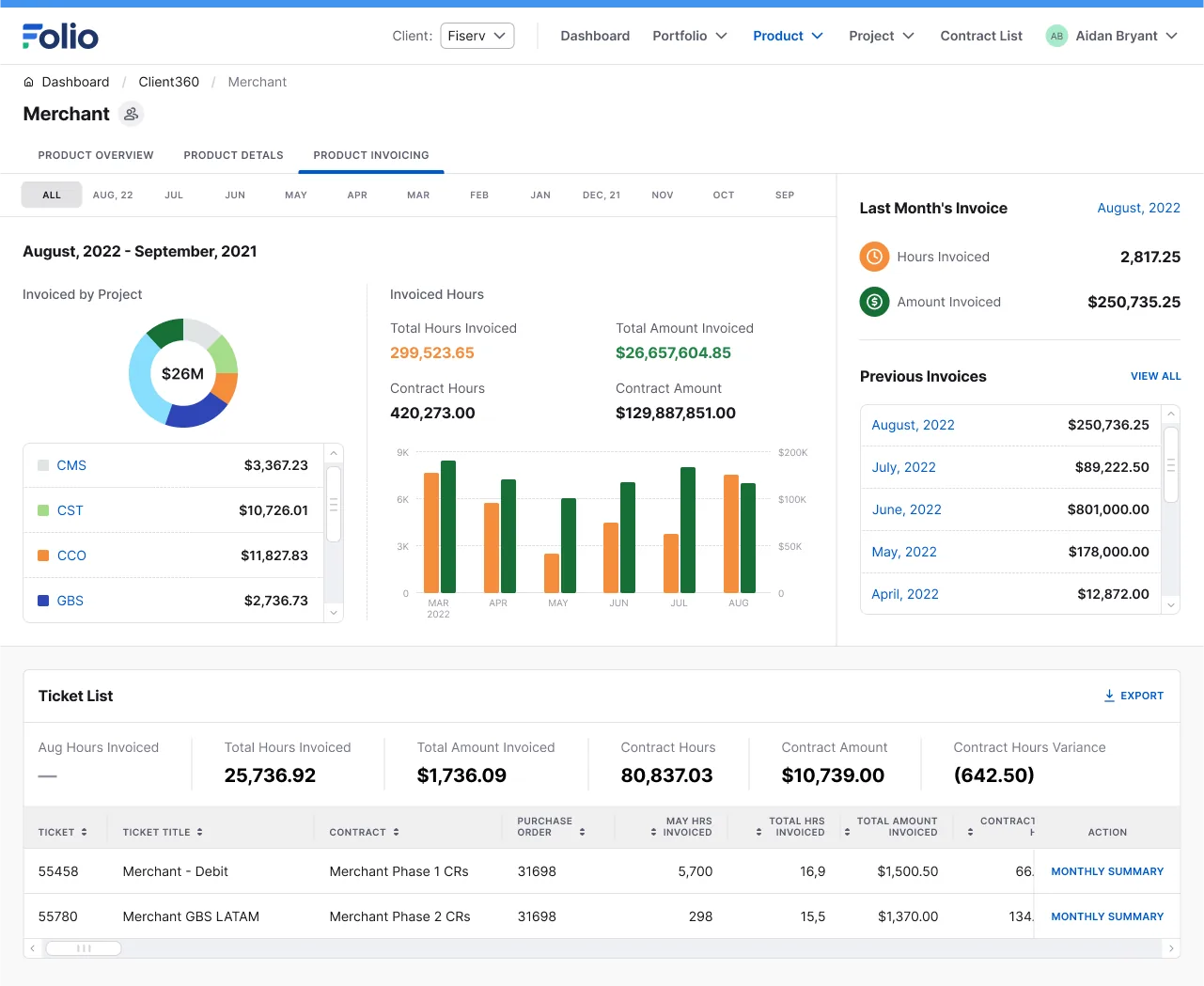
A product's invoicing tab: total amount invoiced by project and a ticket list with amounts
Finances by product
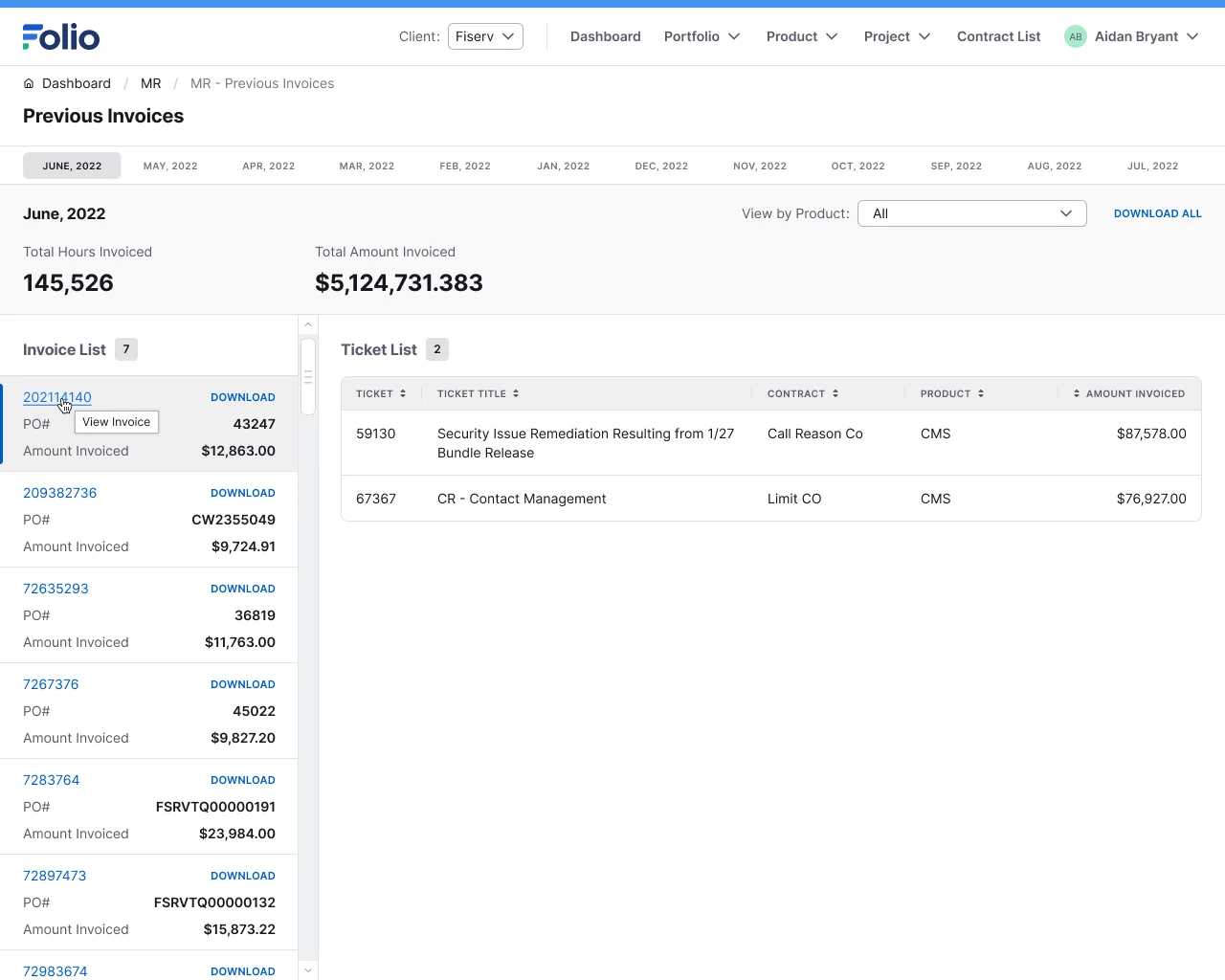
A page of past invoices, with an invoice list and a ticket list showing amounts
Past invoices, with their tickets
2

No visibility into how running projects were doing

Problem

Back then, knowing whether a project was on track or about to slip meant asking the person working on it directly — and even then, the answer was just a feeling, with no number to compare or check back against later.

Solution

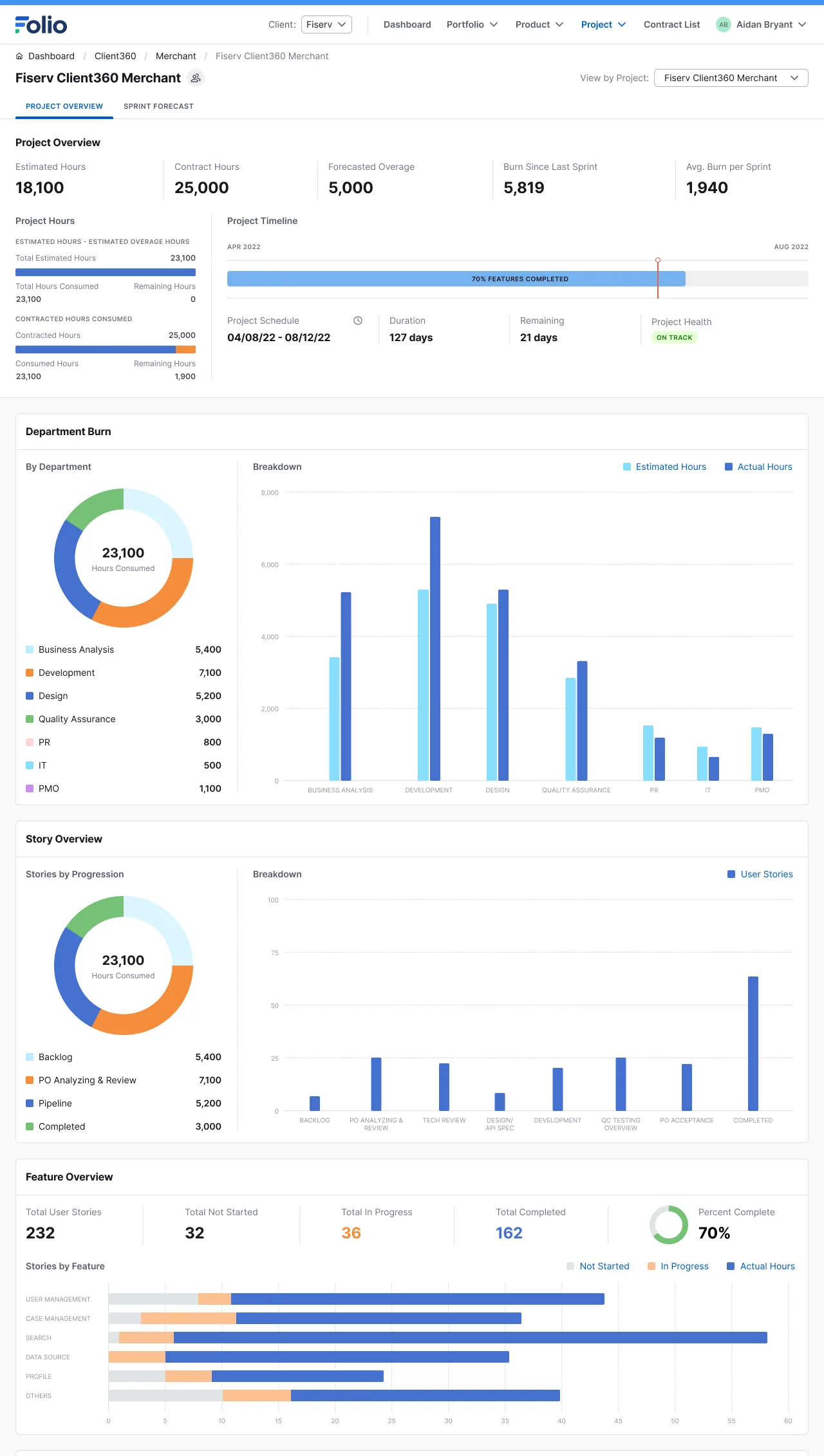
I built a tracking screen at the project level: hours spent against the original contracted hours, where work is piling up — business analysis, design, code, or testing — how much of testing is done, and how many bugs are left and how severe, by part of the product. One screen shows whether a project is running smoothly or about to slip, and where it's stuck, with no need to ask anyone. The screens below are the result:
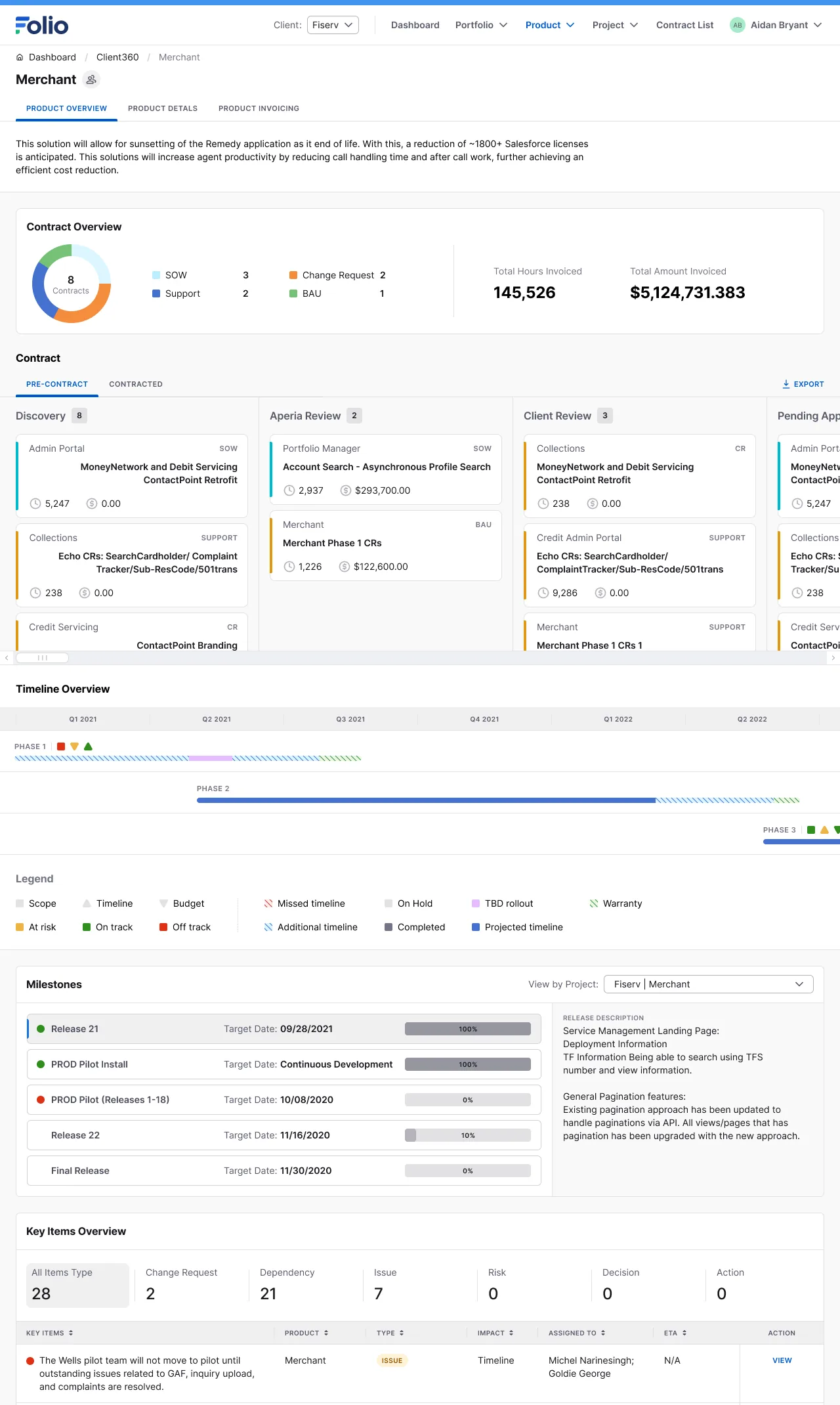
A contract overview, a timeline by phase, milestones, and a key-items table at the product level
Timeline, milestones, and key items for a product
A project overview: hours burned by department, and story and feature progress
Burn hours and sprint progress
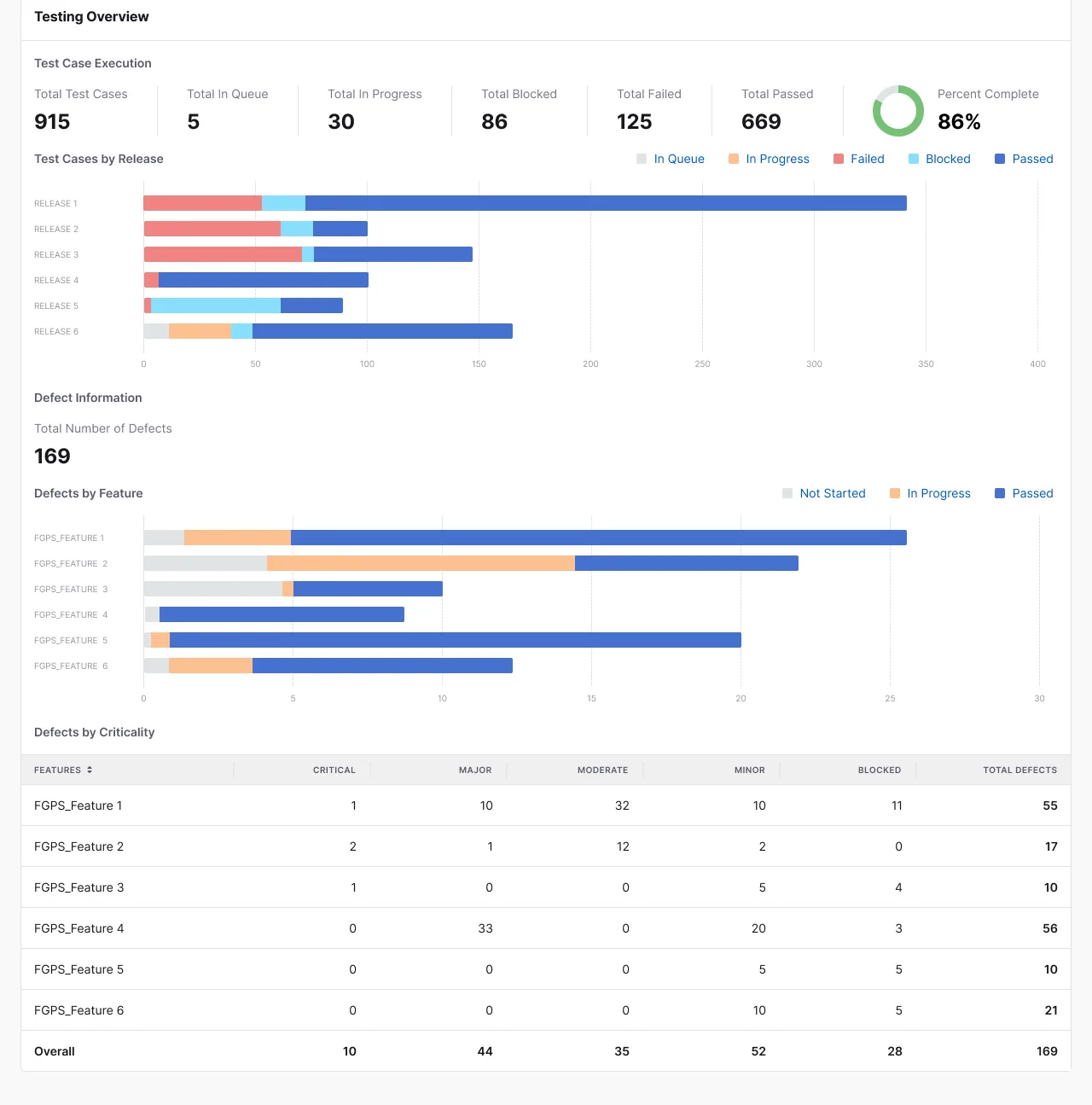
Test results by release and defect counts by feature
Test results and defects
3

No control over who could see or change what

Problem

Back when data still lived in shared files, anyone with the link could see all of it — a project manager would also see the client's full financials, even though that wasn't their part of the job.

Solution

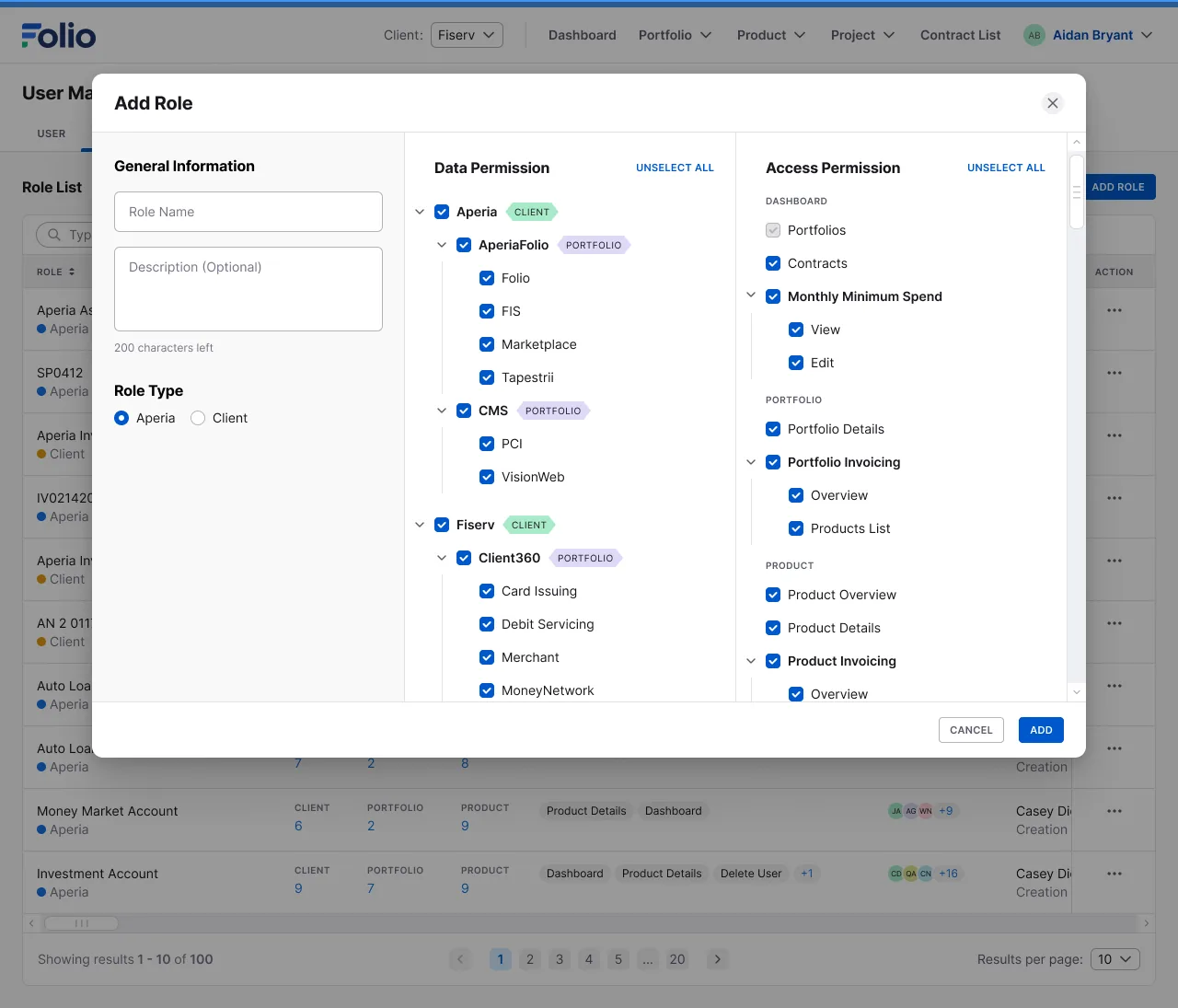
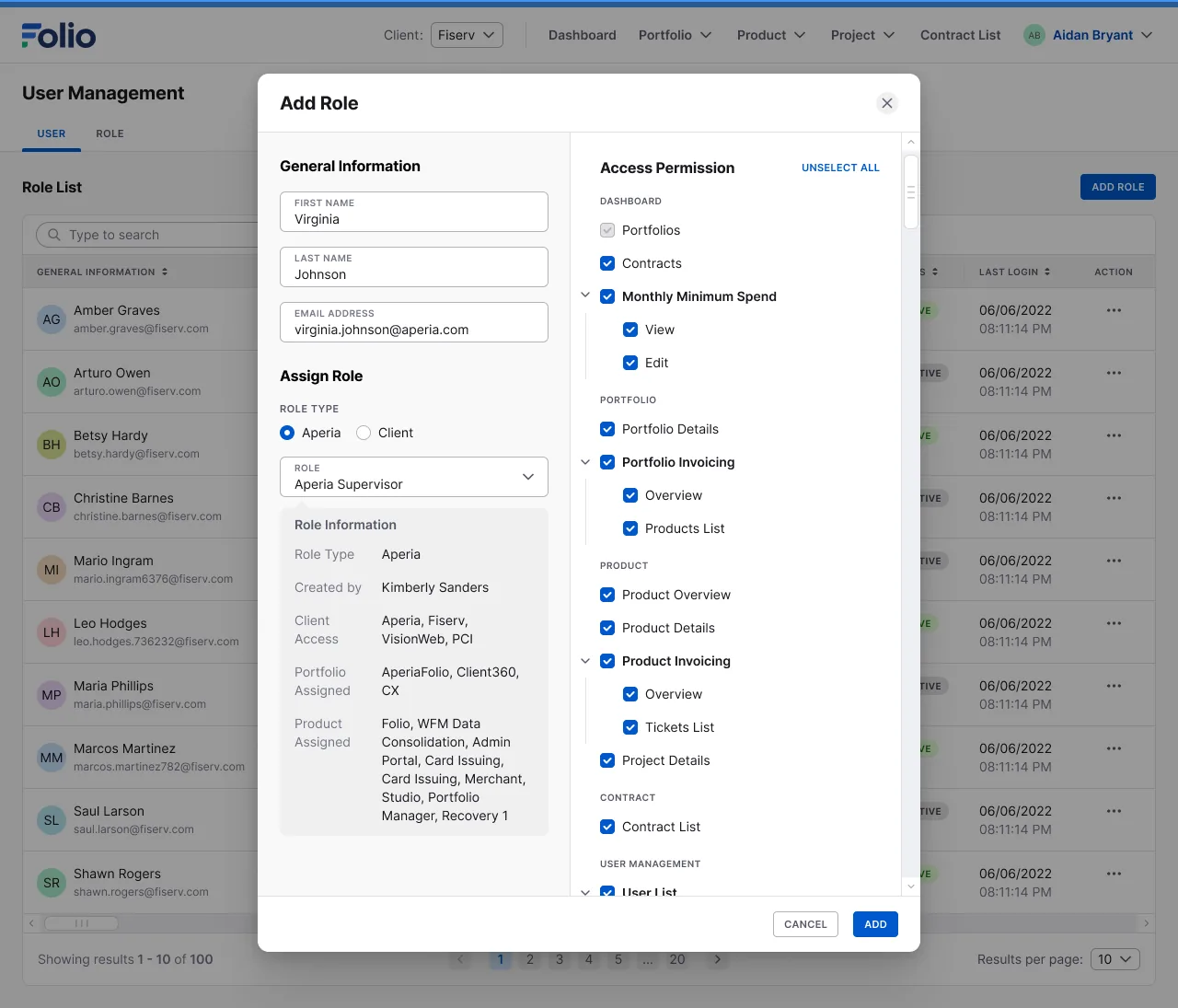
I split view and edit access by specific layer of data — which client, which portfolio, which product — matching the real management levels that actually existed (project managers, product managers, client account managers, senior leaders reading reports), instead of one flat permission for everyone. The screens below are the result:
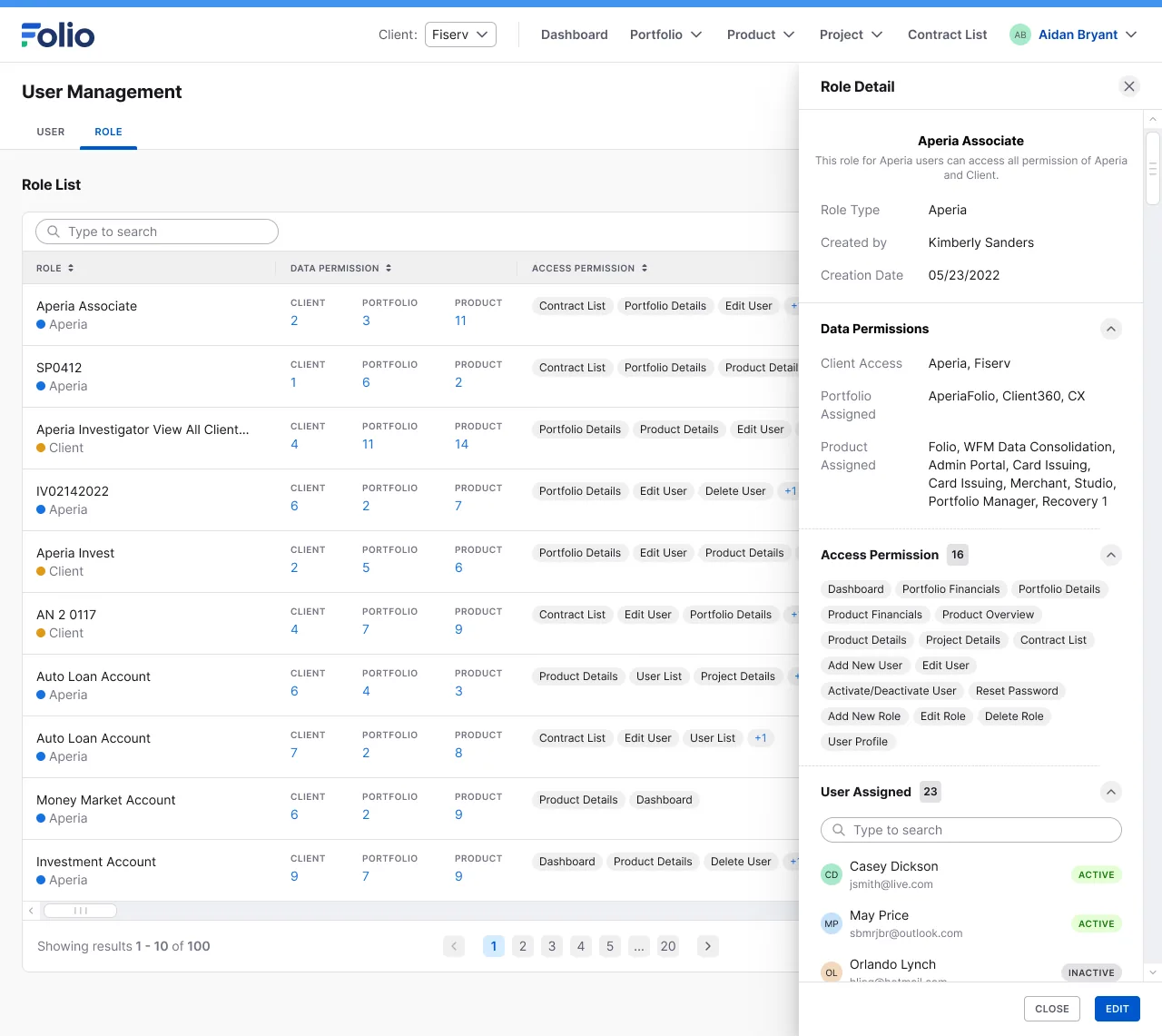
One role in detail, with its data permissions, action permissions, and the people assigned to it
One role, in detail
A form for adding a new role, with a permission tree by Client, Portfolio, and Product, and a list of action permissions
Adding a role, permissions by Client → Portfolio → Product
Assigning an existing role to one specific user
Assigning a role to a user

What I got wrong at first

At first I thought the problem was just building a stats table — count some numbers and call it a report. Working on it, I realized it also had to handle who could see what, the money, and the health of each running project — not just counting things.

Options we considered

We talked about buying an off-the-shelf tool instead — Clarity, Jira, PowerBI. The company chose to build Folio itself, for a few reasons: buying a tool costs license fees, client and financial data needed to stay private, it needed to be customized to how the company managed many clients at once, and the team had the people to build it.

Working with the team

This was a full scrum team: two designers (me and one other), two BAs, six developers, one PO. The BA and I worked out the data together — what needed to show on screen, and how to show it so it felt easy to use — then worked with the dev team on how to display it in a way that was technically doable.

I don't remember clearly who pushed back or what concerns came up, partly because we worked on fake data back then, never the company's real numbers. One permission decision I do remember: the team built a full-access role, a kind of top admin, so the person at the top could set permissions for others themselves, instead of hard-coding who could see what.

Decision

We chose to build Folio ourselves instead of buying a tool like Clarity, Jira, or PowerBI, because client data needed to stay private and it needed to be customized to how the company managed many clients at once. The trade-off: it cost a whole team's time and effort, instead of paying for a tool that was ready to use.

Outcome

I left the company a while after building Folio, so I don't know if the system is still in use.

What I learned

If I did it again, I'd spend time upfront figuring out who needs to see what, instead of starting from a simple stats table and only later expanding into money, permissions, and project health.

Explore More Projects

Kitchen Display System

Kitchen Display System

TV Screen Display

Aperia PCI Compliance Center

Aperia PCI Compliance Center

Web Application (SaaS)

VietAccepted Learning Platform

VietAccepted Learning Platform

Learning Platform

Choose your language

Select which language you'd like to view this site in.