Kitchen Display System
Role:
Design Leadership
Platform:
Web Application (SaaS)
Team Size:
1 SM, 1 PO, 1 BA, 6 engineers
Project Duration:
2 years +
Overview
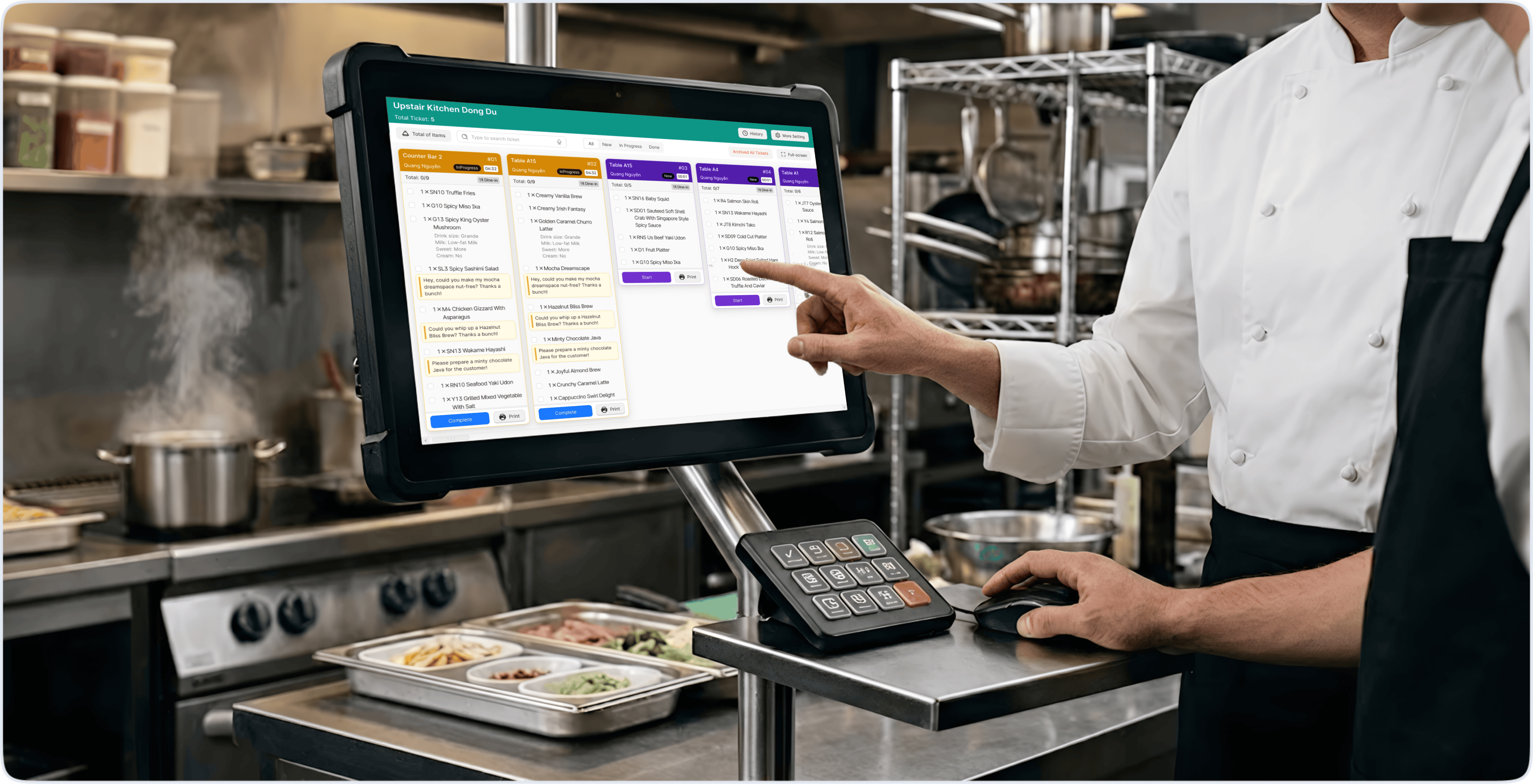
Digitizing the entire communication flow between Point of Sale (POS) and the kitchen — fully replacing paper tickets.
Kitchen staff no longer need to manually track order sequences through stacks of overlapping paper during peak hours.
Live deployment achieved an 80% reduction in order errors.
Context & Problem
The kitchen is still running on paper
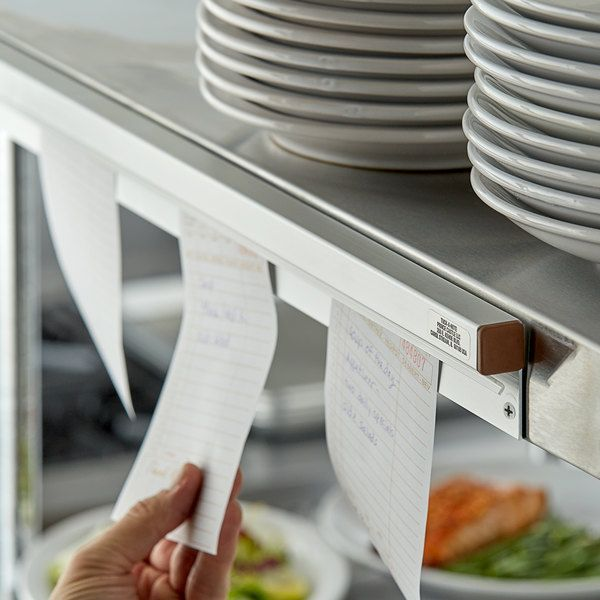
When a waiter finished taking an order, the old system printed a paper bill, which was then carried down to the kitchen and clipped to a rail or placed on the counter.
One slip per table. During peak hours, dozens of slips stacked on top of each other.
Real consequences:
- Dropped or mixed-up tickets — bills fall or get shuffled with others
- Kitchen staff had to manually figure out which order came first
- No way to know how long a dish had been sitting — easy to forget or delay during a rush
- Errors from misreading handwriting or faded prints
The Approach
Replace paper with a screen — but that doesn't mean redesigning how the kitchen works.
Kitchen staff were already used to reading bills on a rail from left to right to know what to cook first.
The problem was to preserve that habit, just digitize it — so chefs don't need to relearn how they work.
User Research & Environment Analysis
- Kitchen Display System users are chefs and bar staff
- Standing in the kitchen, hands often covered in grease or wet, no time to stop and read carefully.
- The screen is positioned where the whole kitchen can see it — it's not a personal device.
Two environmental constraints that directly shaped design decisions:
- Dirty hands, can't touch the screen constantly → need an alternative interaction method
- Very loud environment, and multiple people looking at the same screen → can't always rely on sound for alerts
Design Solutions
- Preserve the old habit, just digitize it
Traditional kitchens hang paper bills on a rail from left to right — the earliest order is on the left, the latest on the right. Chefs just look at the rail to know what to cook first.
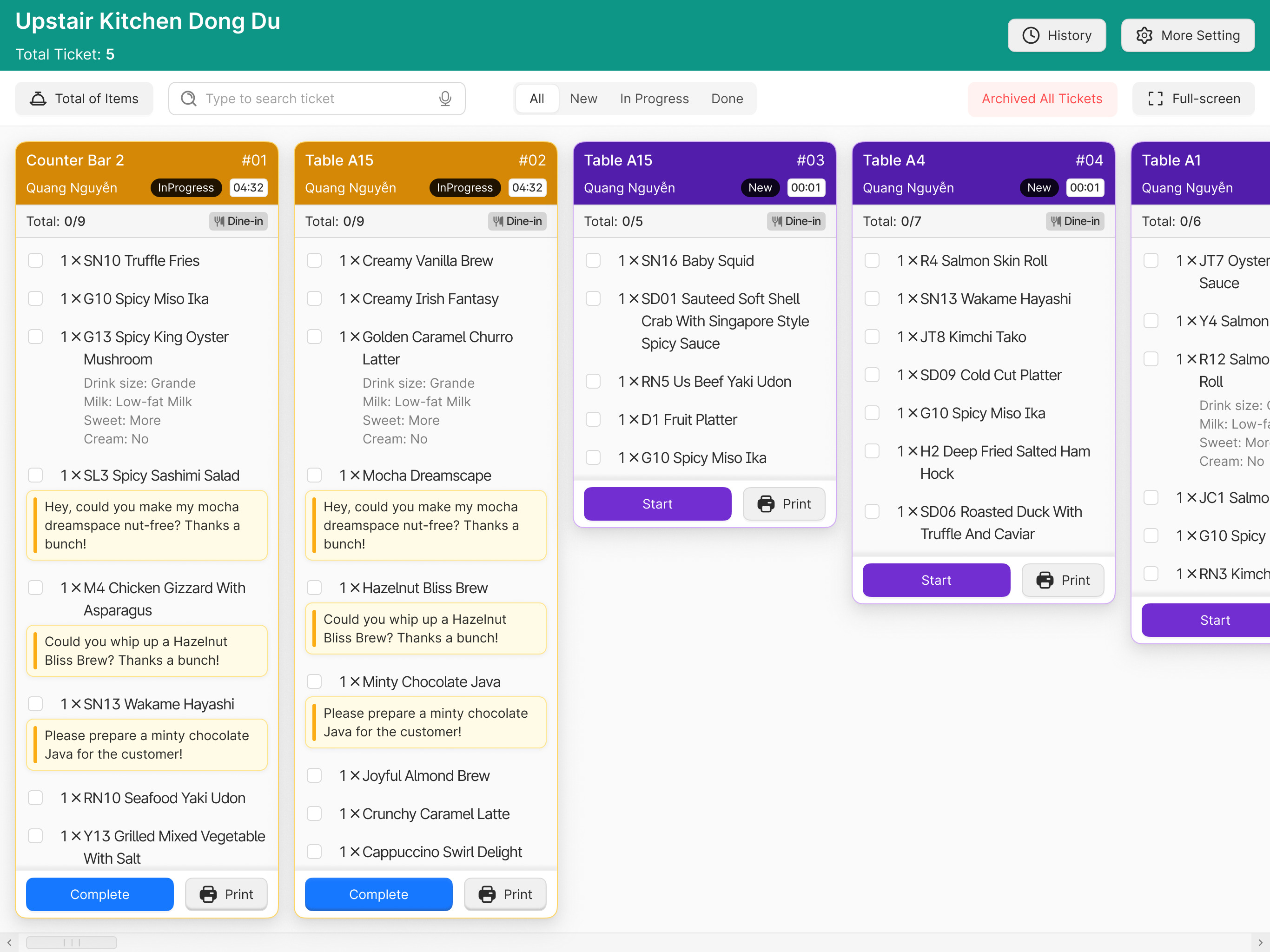
Instead of inventing a new system, the KDS mirrors how the kitchen already works:
- Each order appears as a "ticket" on screen
- Arranged left to right based on the time the order was sent from POS or placed via QR.
→ Chefs don't need to learn how to read the screen — they just follow the same habit they already have.
- Item status: color-coded
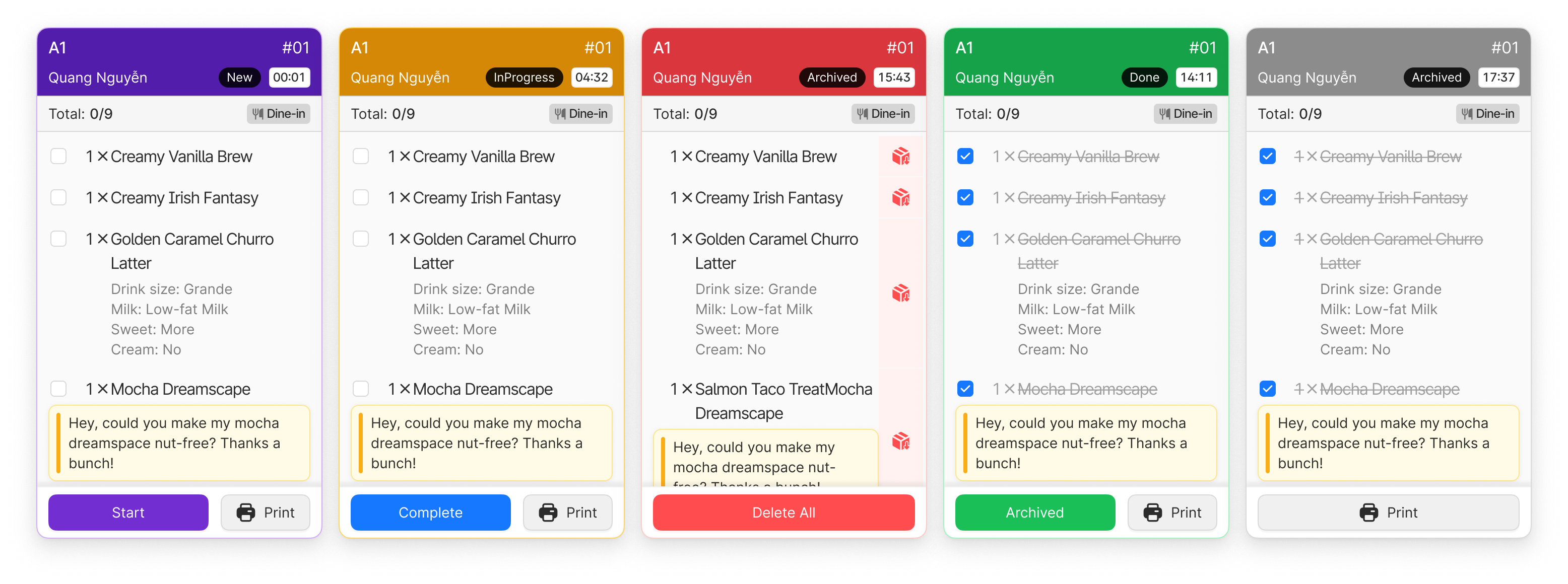
Each item in a ticket has 1 of 4 statuses, differentiated by color:
Status
Color
New
Purple
In Progress
Orange
Done
Green
Cancelled
Dark Gray
4 status colors chosen for clear differentiation
- When kitchen staff are busy, they only glance at the screen for a split second
- No time to read text.
- Dark gray for 'cancelled' keeps consistency with the broader POS ecosystem
- Red is the stop/warning signal for late items, used consistently from POS to KDS.
- Late item alerts: visual flash instead of sound
Problem
The kitchen is very loud — woks, exhaust fans, people talking.
A beep alert can get lost in the noise or cause confusion if multiple items alert at once.
Solution:
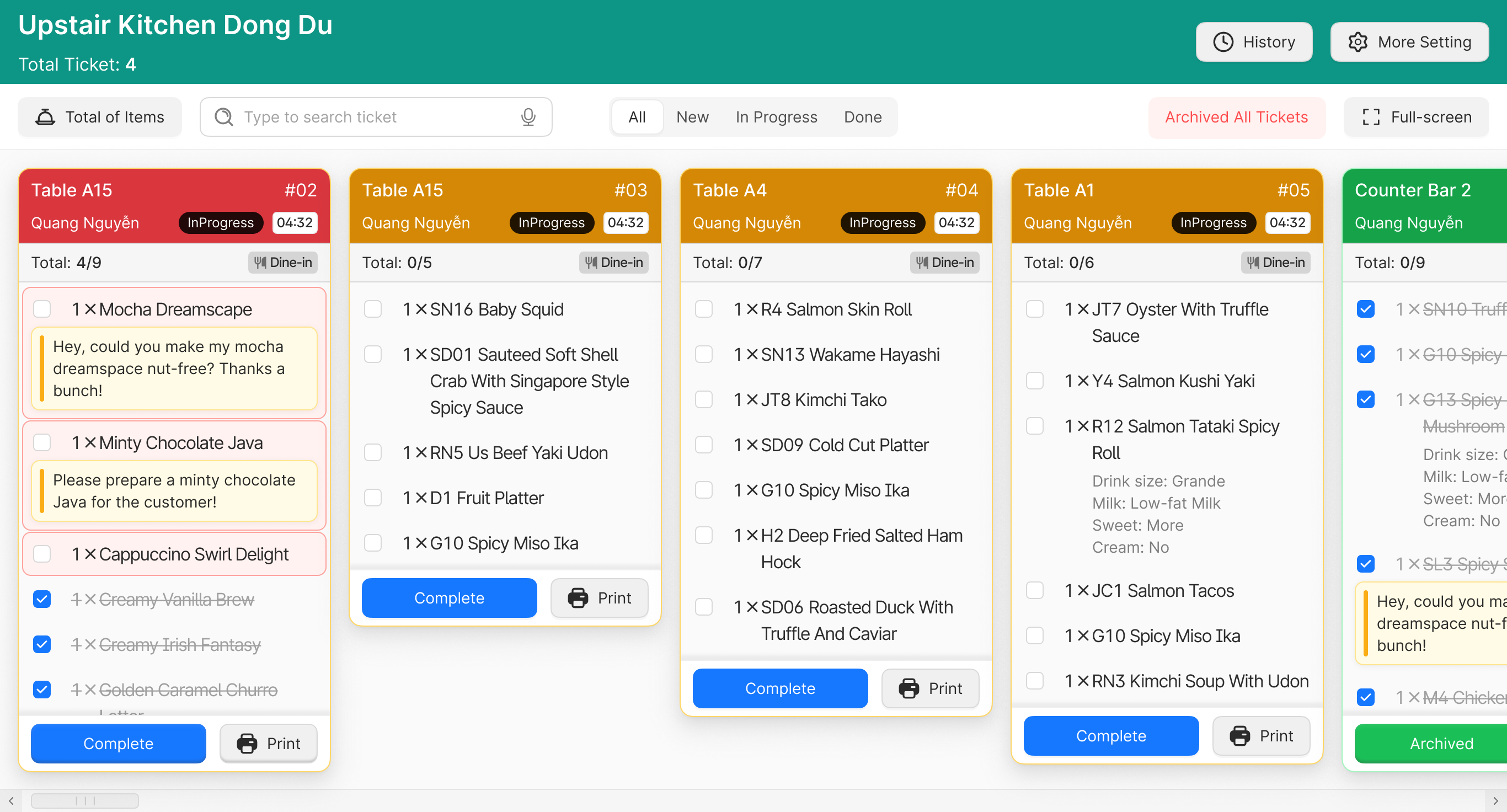
- When an item is running late, its tile flashes on the ticket — no sound needed.
- Because the screen is positioned where everyone in the kitchen can see it, a visual flash is enough to catch attention without relying on hearing in a noisy environment.
- Ticket info: prioritize what matters most
Solution:
- Each ticket shows enough information for kitchen staff to handle the order without asking the waiter:
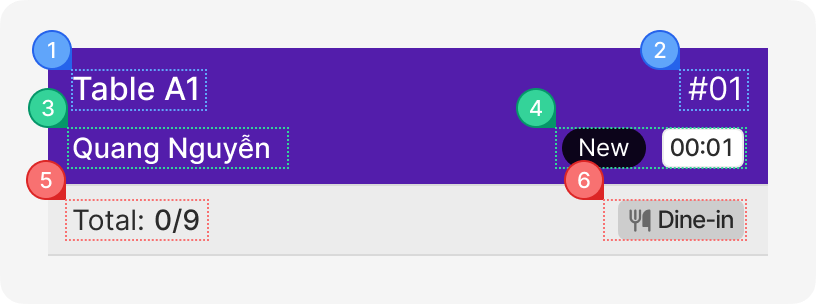
Information
Purpose
1
Table name
Know who this dish is for
2
Order ID (bill ticket)
Reference if an issue comes up
3
Staff who sent the order
Know who to contact for confirmation
4
Status & time sent to kitchen
Ensure prep time and dish delivery is managed
5
Total items in the ticket
Know the workload of this order
6
Order type — Dine-in / Banquet / Delivery
Different priorities based on order type
Results & Feedback
Results
Feature
Outcome
Error rate
Reduced by 80%
Order sync time
Under 3 seconds from submission to display on KDS
Order sequence management
Kitchen staff no longer need to manually track orders through paper bills